
Service levels
How response and resolution targets work in tese.io Ops, and what an overdue or missed work order means.
Service levels set how quickly work orders must be started (response) and closed (resolution). tese.io Ops stamps the deadlines on each new work order, shows whether they were met, and tells everyone on the order when a target is missed.
Where to find it
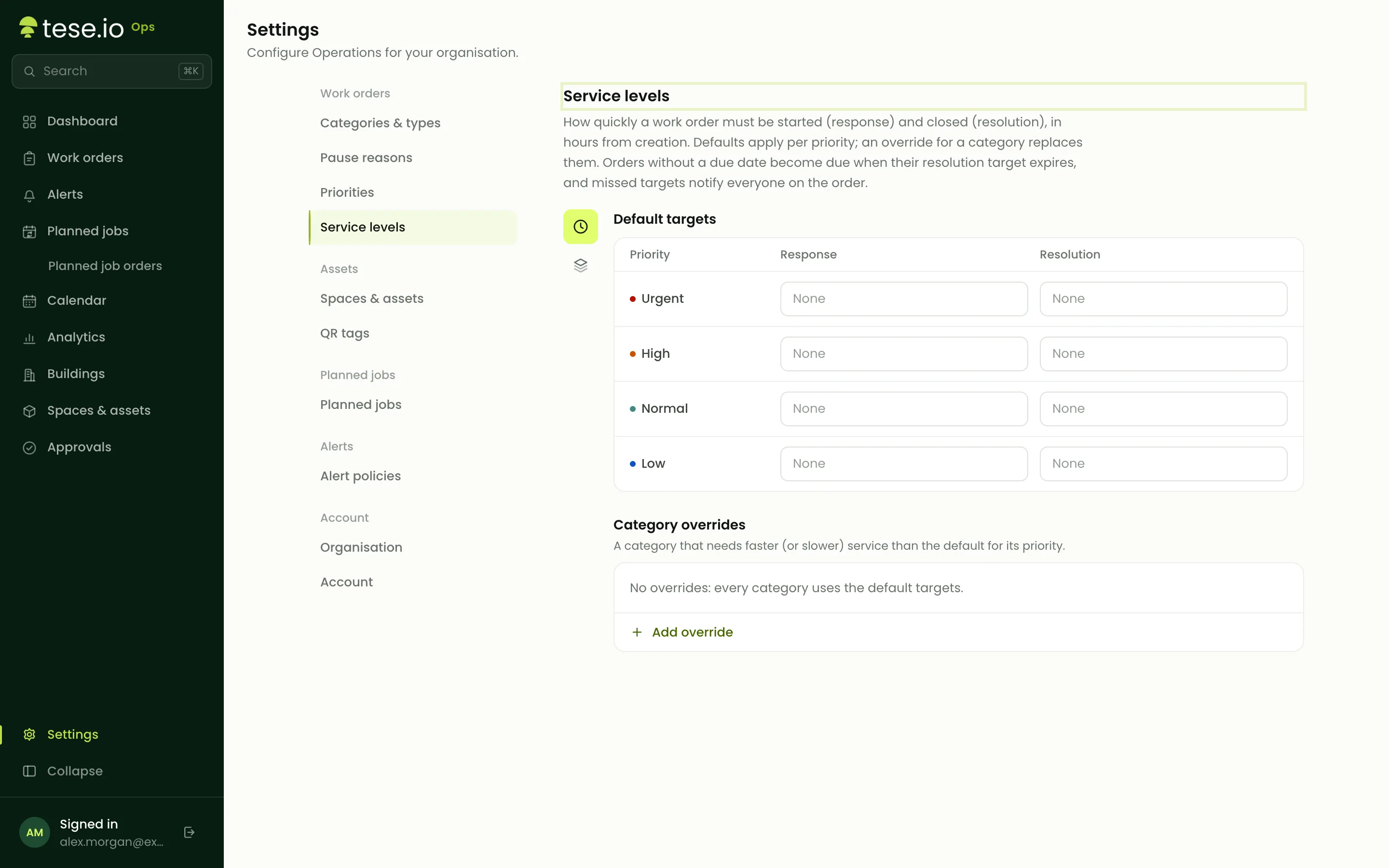
To set targets: Settings → Service levels (Administrator level to open Settings).
To see them on a work order: open the order. The Respond by and Resolve by rows show each deadline with a label: Open, Met or Missed.
How to set service levels
Open Settings and select Service levels.
Under Default targets, there is one row per priority. Enter the Response and Resolution targets in hours. Response is optional. Resolution is required.
To give one category different targets, go to Category overrides and select **Add override**. Choose the category and priority, then enter its hours. It replaces the default for that category only.
Select Save changes in the bar that appears.
How the targets are measured
Both clocks start when the work order is created, and count in plain hours, including nights, weekends and the time spent awaiting approval.
Response is met when someone first starts work (the order first becomes Ongoing).
Resolution is met when the order is closed.
If a work order has no due date of its own, its due date becomes the resolution deadline.
What "overdue" means
A work order is overdue when a deadline passes before the matching step happens: it wasn't started by Respond by, or wasn't closed by Resolve by.
The label on the order turns to Missed as soon as the deadline passes.
tese.io Ops checks open orders regularly. The first time it finds a missed target, it records it in the order's History and notifies everyone on the order: assignees, participants and the person who created it. On a phone the notification is titled Work order overdue.
Each missed target is notified once, not repeatedly.
Good to know
Targets are fixed when the work order is created. Editing the policy, or changing the order's priority or category later, doesn't change deadlines already set.
Pausing a work order doesn't stop the clock.
Orders created when no row matched their priority have no service levels.
Declined orders aren't checked.
Planned-job work orders are due at their scheduled time, whatever their service level.
The work order CSV export includes response and resolution columns showing met or missed. The PDF shows both deadlines too.
Priorities themselves are fixed across the platform: Urgent, High, Normal and Low.
Common questions
Why was my work order marked overdue? A service-level deadline passed before it was started (response) or closed (resolution). Open the order and check Respond by and Resolve by to see which one was missed.
I started the work on time. Why does Resolve by still say Missed? Response and resolution are separate. Starting meets the response target, but the order must be closed by Resolve by to meet resolution.
Does time awaiting approval count? Yes. The clock starts at creation, so approve urgent requests quickly.
I changed the service levels. Why didn't my existing orders change? Deadlines are stamped when each order is created. New targets apply to new orders only.
Who gets told when a target is missed? Everyone on the order: its assignees, anyone who has worked on it, and its creator.
Was this article helpful?
Still need help?
The tese.io team reads every message and usually replies within one working day.
Contact support