
Profile, language and settings
View your profile, change the app language, get help and sign out of tese.io Lite.
The Profile screen shows who you are signed in as and your activity, and holds the app's settings: language, notification switches, help and sign-out.
Where to find it
More → Profile ("account, language & settings").
What is on Profile
Your picture or initials, name, email, and your organisation's name.
Activity overview: Entries Logged, Day Streak and Days Active.
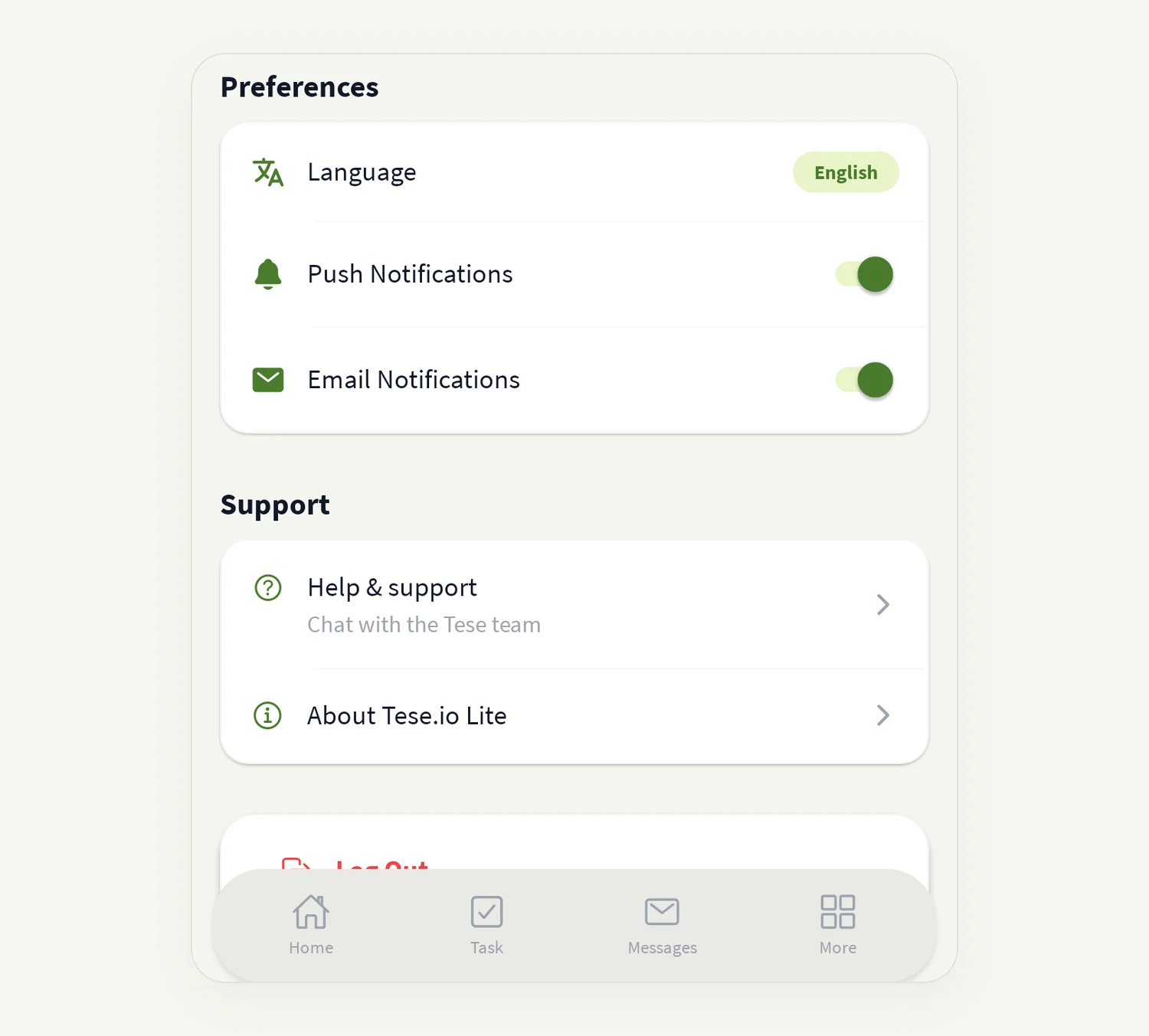
Preferences: Language, Push Notifications and Email Notifications.
Support: Help & support and About tese.io Lite.
Log Out, and the app version at the bottom.
How to change the language
Open More → Profile.
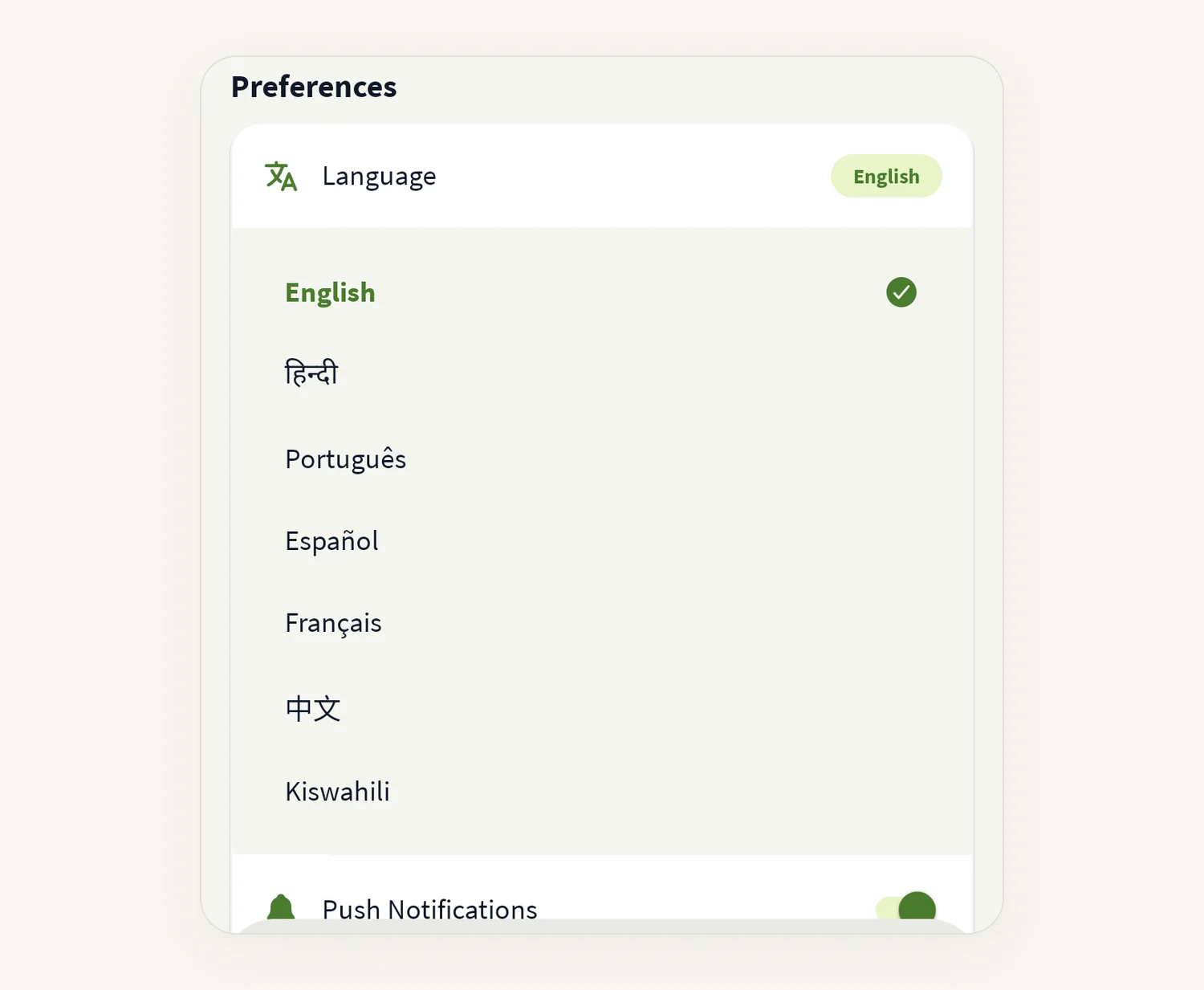
Under Preferences, tap Language. The current language is shown on the right.
Pick one: English, हिन्दी (Hindi), Português, Español, Français, 中文 (Chinese) or Kiswahili.
The app switches straight away and remembers your choice.
The first time you open the app it uses your phone's language if it is one of these, and English otherwise.
How to get help
Tap Help & support ("Chat with the tese.io team") to open Support chat. A number shows if you have unread replies.
If Support chat is not set up for your app, Help & support opens an email to [email protected].
About tese.io Lite opens the terms in your browser.
How to sign out
Tap Log Out at the bottom of Profile.
Confirm with Sign Out.
Good to know
The Push Notifications and Email Notifications switches do not currently change what you receive. To turn phone notifications off or on, use your phone's Settings for tese.io Lite.
Some parts of the app (some labels and messages) may still appear in English when another language is chosen.
Day Streak and Days Active are counted on this phone.
Your name, picture and organisation come from your tese.io account. Change them on the tese.io dashboard.
Common questions
How do I change my name or photo? On the tese.io web dashboard. The app shows what is saved there.
How do I find the app version? It is shown at the bottom of Profile ("Version …"). Support may ask for it.
I changed the language but some text is still in English. Not every screen is translated yet.
My stats show 0 or a dash. A dash shows while the stats load. If they stay at 0 when you know you have logged entries, check your connection and reopen Profile.
Was this article helpful?
Still need help?
The tese.io team reads every message and usually replies within one working day.
Contact support