
Finance and projects
Browse green finance products, track applications, and view sustainability projects in tese.io Lite.
Finance lets you apply for credit tied to your sustainability reporting and track your applications. Projects lists your organisation's sustainability projects and lets you start a new one.
Where to find it
More → Finance ("loans & green funding options").
More → Projects ("bigger improvements you're planning").
Both may not be available for your account if your organisation has turned them off.
How to use Finance
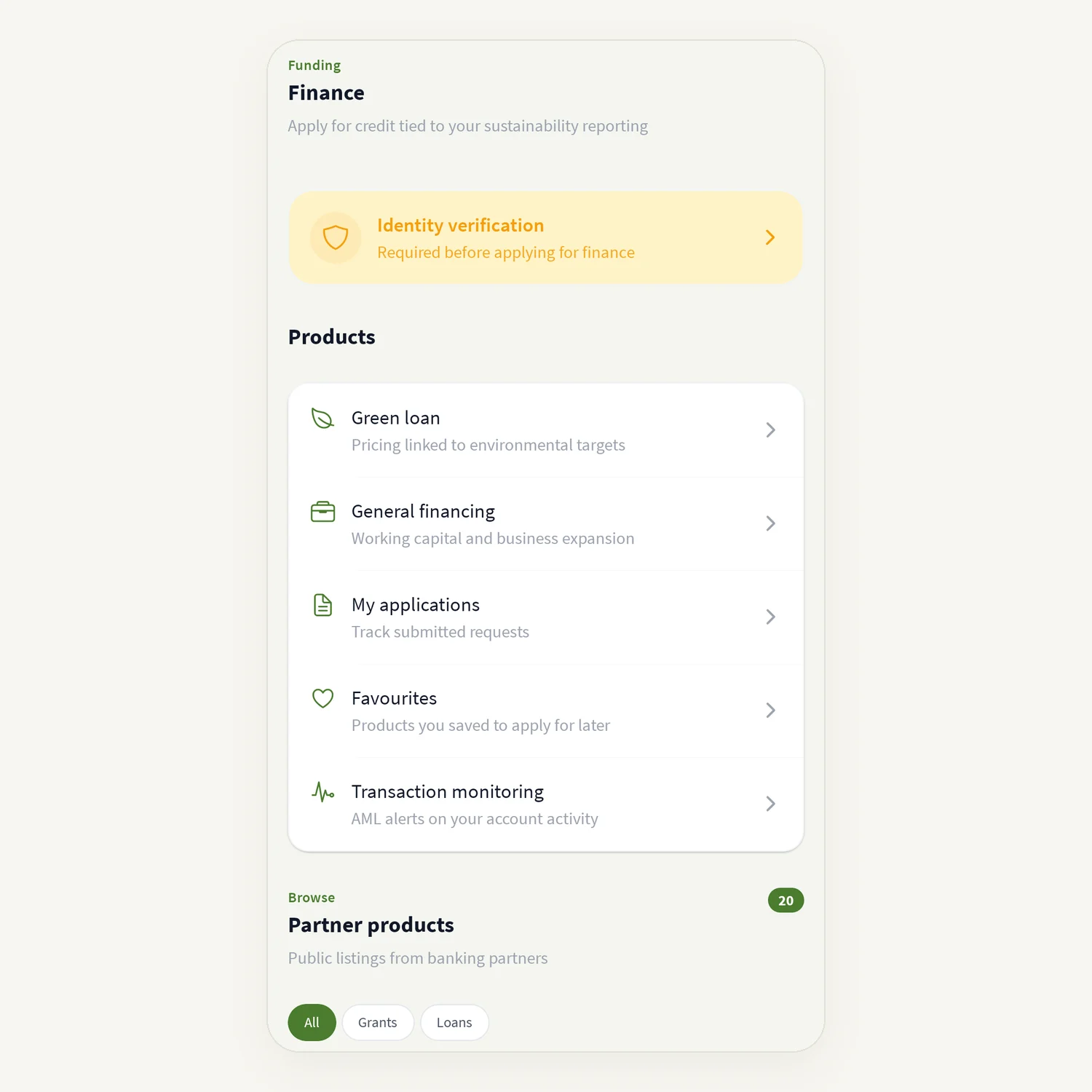
Open More → Finance. The screen is headed Finance – "Apply for credit tied to your sustainability reporting".
Check the verification banner at the top. You must complete verification before you can apply ("Complete verification above before you can apply").
Under Products, choose:
Green loan – pricing linked to environmental targets;
General financing – working capital and business expansion;
My applications – track submitted requests;
Favourites – products you saved to apply for later;
Transaction monitoring – AML alerts on your account activity.
Under Partner products, browse public listings from banking partners. Tap the heart to save one to Favourites.
To apply, open a product, enter the Amount and Project, and tap Submit application.
Tracking an application
Open My applications. Each one shows a status: Continue, Needs you, In review, Offer or Closed. Open it to see the Timeline and the Next step. If the bank needs something, answer it and tap Send answer. You can add documents after the bank replies.
How to use Projects
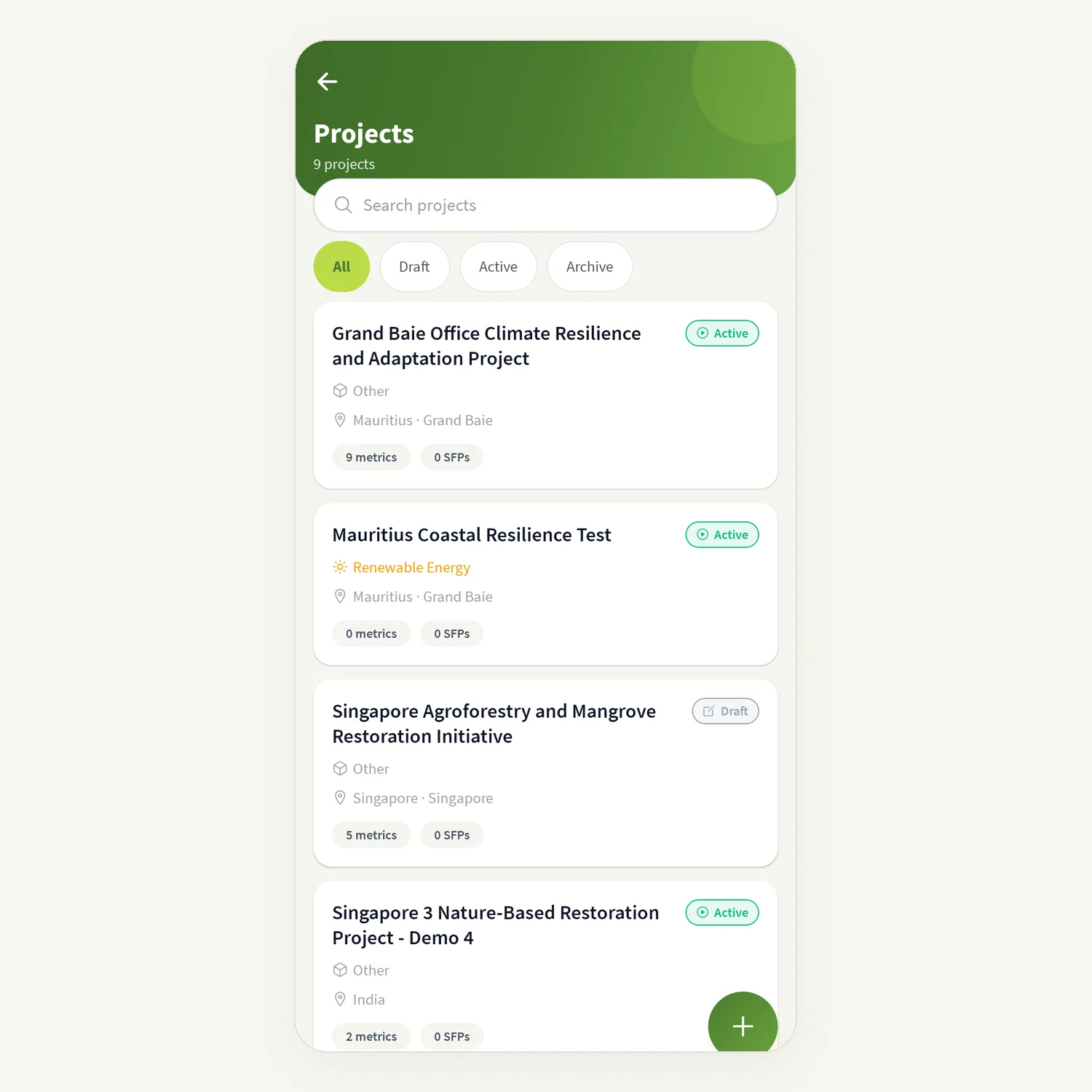
Open More → Projects. Use Search projects and the filters All, Draft, Active and Archive.
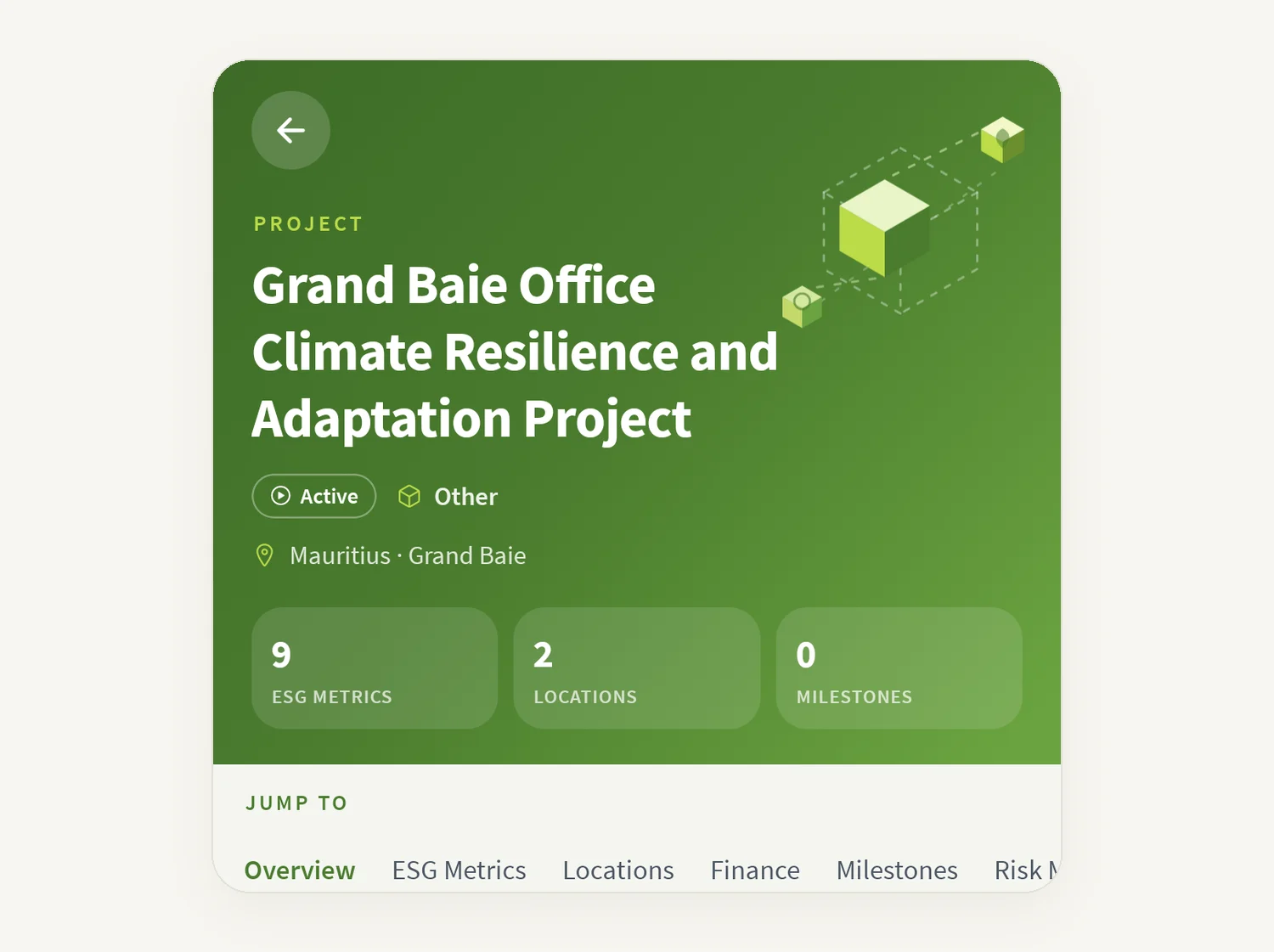
Tap a project to see At a glance (metrics, sites, budget, milestones) and its sections: Overview, ESG Metrics, Locations, Finance, Sustainable Finance, Milestones and Risk Management.
To start one, tap New project and work through the steps: Scoping, Management, Risk, Metrics, Finance. Tap Create Project at the end.
Good to know
A project in progress is kept as a draft. When you come back you can Resume draft or Start fresh; leaving offers Keep & exit or Discard.
Ask Anaya in the project wizard helps you fill in the details.
A project may show Suggested Finance Products. These are suggestions only, not an offer, approval or financial advice.
When you are offline, Finance may show "You're offline — this may be out of date."
Common questions
Why can't I apply for a product? Complete verification first. The banner at the top of Finance shows what is outstanding.
My application says Needs you. Open it and look at Next step; the bank needs more information.
I see "No projects yet". No projects exist yet. Create one with New project, or on the tese.io dashboard.
Why can't I see New project? Creating projects may not be available for your account.
Was this article helpful?
Still need help?
The tese.io team reads every message and usually replies within one working day.
Contact support