
Climate and nature
View climate risk and biodiversity analysis for your sites, and explore nature-based solutions, in tese.io Lite.
Climate & Nature shows climate risks and habitat analysis for a site, based on a Climate & Nature (C&N) profile set up for that site. It mirrors the Climate & Nature workspace on the tese.io dashboard.
Where to find it
More → Climate & Nature ("risks & nature around you"). It may not be available for your account if your organisation has not switched it on.
How to view a site's analysis
Open More → Climate & Nature.
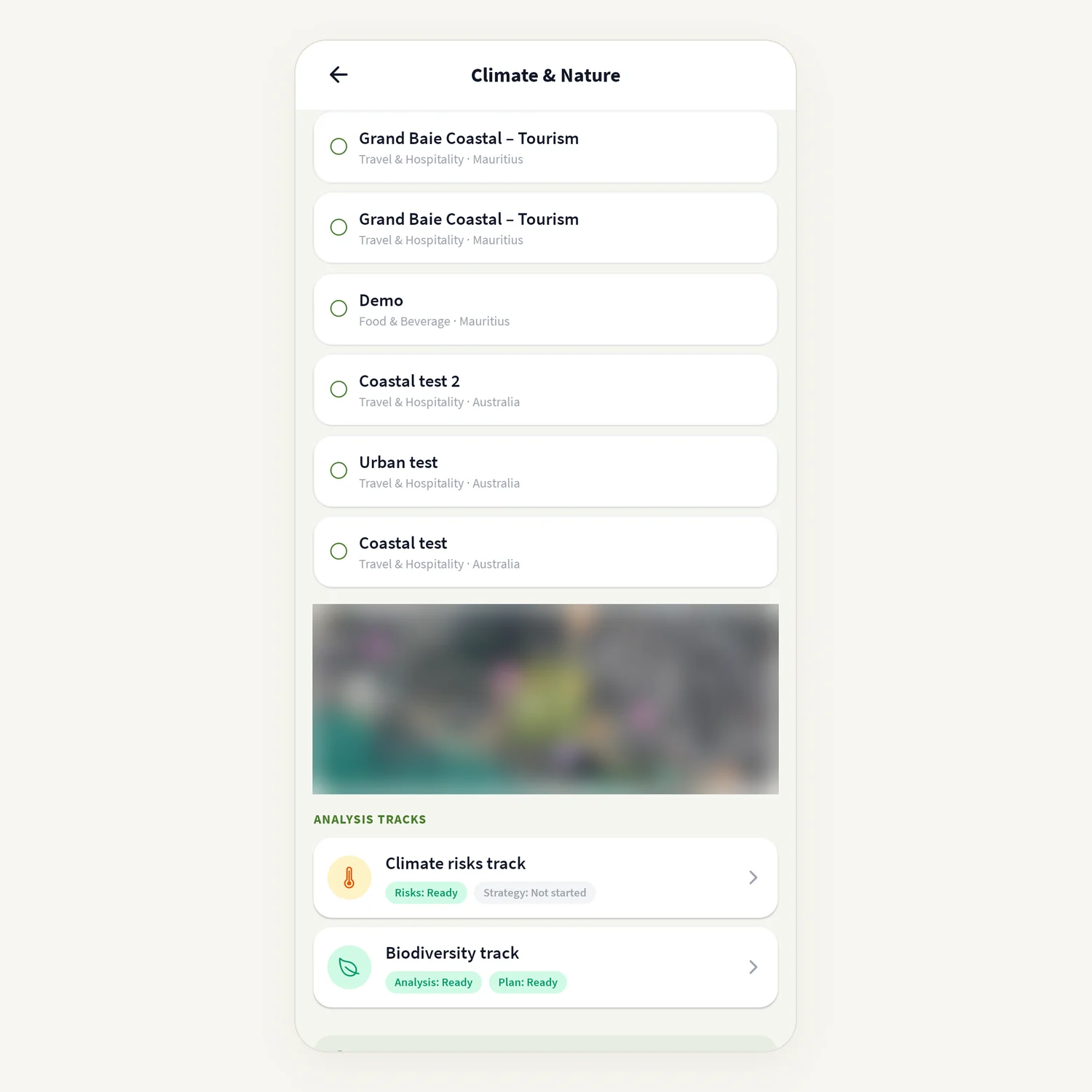
Under Your site profile, choose the site's profile (and the property, if the site has several).
Under Analysis tracks, each track shows a status for its lanes (Risks, Strategy, Analysis, Plan): Ready, Running, Failed or Not started.
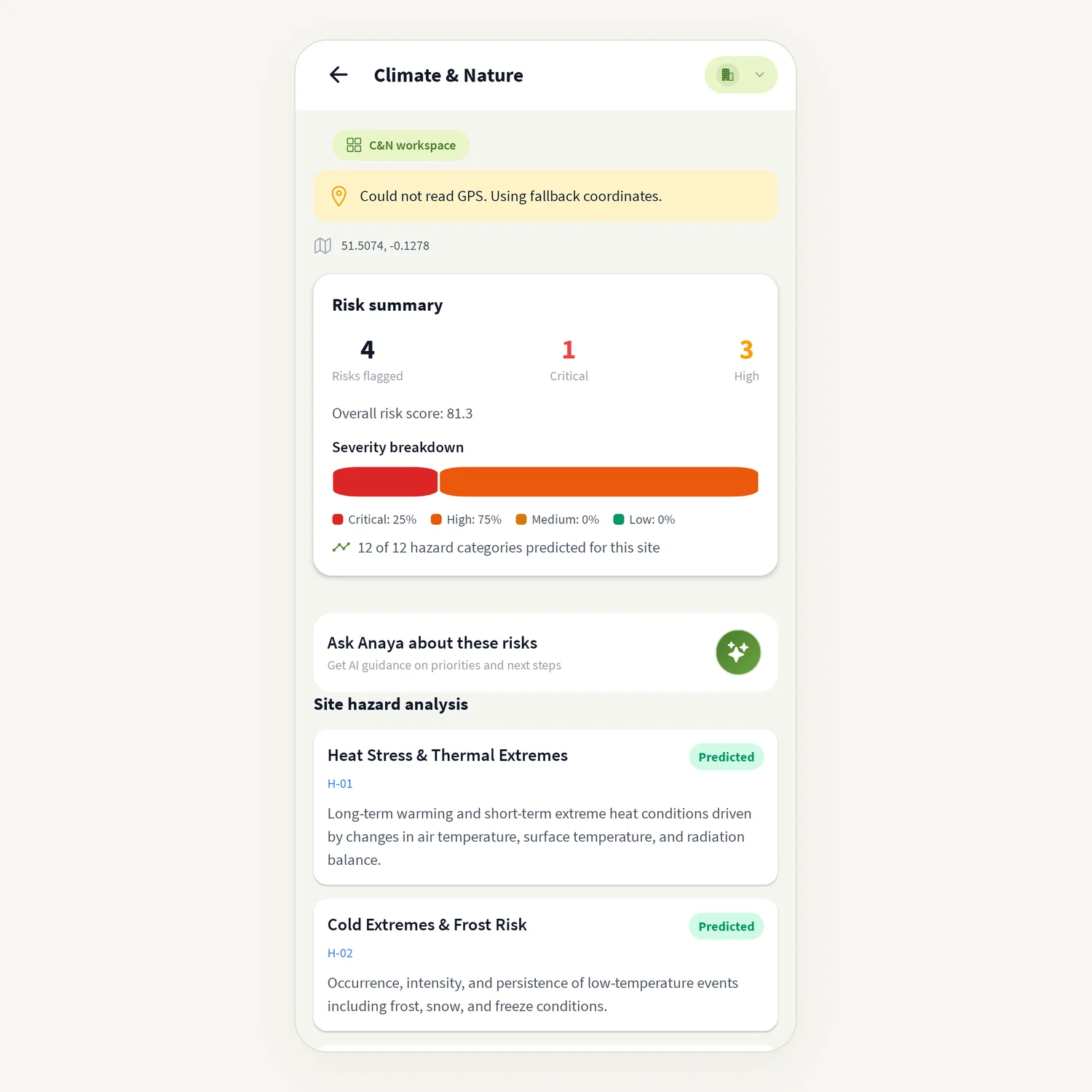
Tap Climate risks track to see:
Risk summary with Risks flagged and a Severity breakdown (Critical, High, Medium, Low);
Site hazard analysis – which hazard categories have a prediction for this site;
Top risks, further down – tap View details for Probability, Impact, Sub-risks and Strategies for this risk.
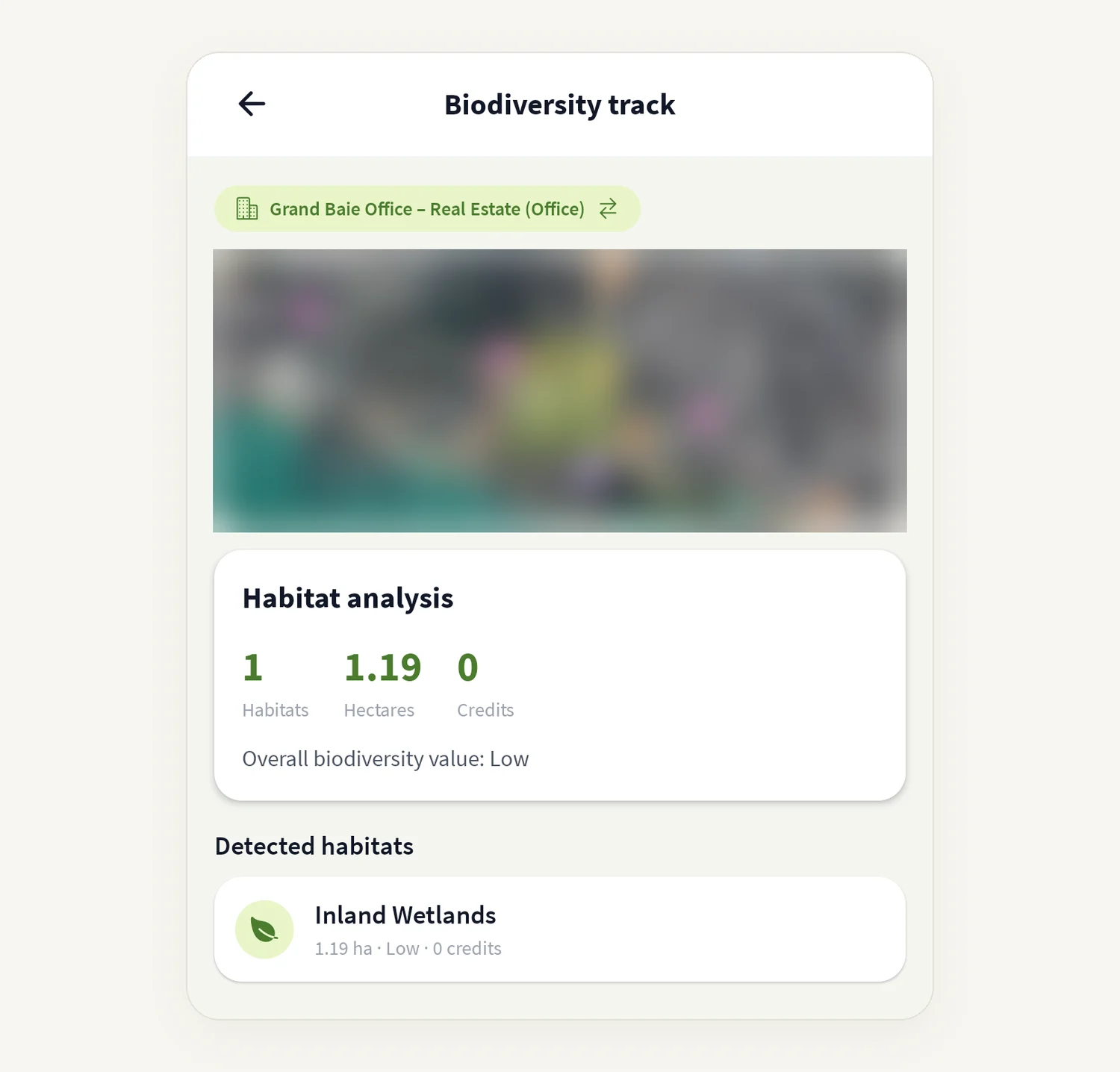
Tap Biodiversity track to see the Habitat analysis: number of Habitats, Hectares, Credits, and the Detected habitats list.
Tap Explore the NbS reference catalog to browse nature-based solutions by Habitats, Strategies and Activities.
On the risk screen, tap Ask Anaya about these risks for guidance on priorities and next steps.
How to create a C&N profile
On the Climate & Nature screen, tap New profile.
Under Create C&N profile, enter the Site name and choose the Sector.
Set the Site location: Pick a saved location, or Or search for an address.
Tap Create profile.
The app draws a starter boundary around the point you chose. You can refine it on the dashboard map later.
Good to know
Analyses are run from the tese.io dashboard workspace. If a track says "Site-specific predictions have not run for this facility yet" or "Biodiversity analysis has not run yet", run it on the dashboard and the results appear here.
While an analysis is running you see Running or "Site analysis running…".
A dense urban site may show "The analysis ran and found no mappable habitat on this parcel."
The risk screen may ask for your location. If you do not allow it, it uses fallback coordinates and tells you so.
Common questions
I see "No Climate & Nature profile yet". No profile exists for your sites. Tap New profile, or create one on the tese.io dashboard.
A track says Failed. The analysis did not complete. Rerun it from the dashboard workspace or ask your administrator.
I get "Sign in again to load climate and nature data." Your session has ended. Sign out and sign in again.
Can I change the site boundary in the app? No. Refine the boundary on the dashboard map.
Was this article helpful?
Still need help?
The tese.io team reads every message and usually replies within one working day.
Contact support