
Sustainable finance and marketplace
Apply for green and sustainability-linked finance, or issue and manage finance products, and find where the marketplace lives.
Sustainable Finance connects organisations that need finance for sustainability work with the institutions that offer it. Companies apply for sustainable finance products (SFPs), such as green loans or grants. Financial institutions publish those products and review applications.
Sustainable Finance is only shown to organisations set up to receive or issue finance. If you cannot see it, it may not be enabled for your organisation — ask your tese.io contact.
Where to find it
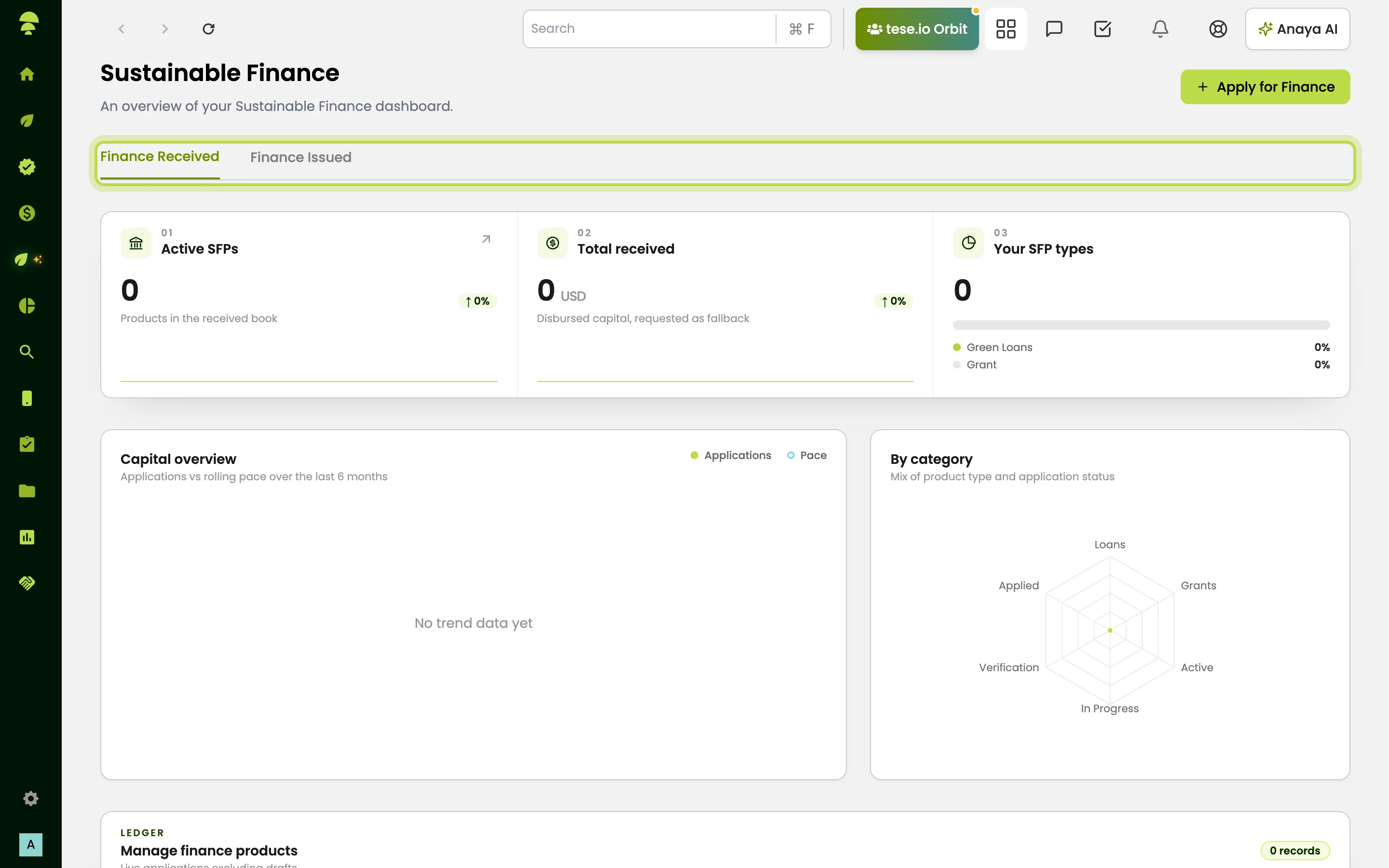
In the sidebar, open Sustainable Finance:
Overview – a summary of your applications or your issued products.
Receive Finance – for organisations applying for finance.
Issue Finance – for financial institutions offering finance.
Which of these you see depends on your organisation type and your role.
How to apply for finance
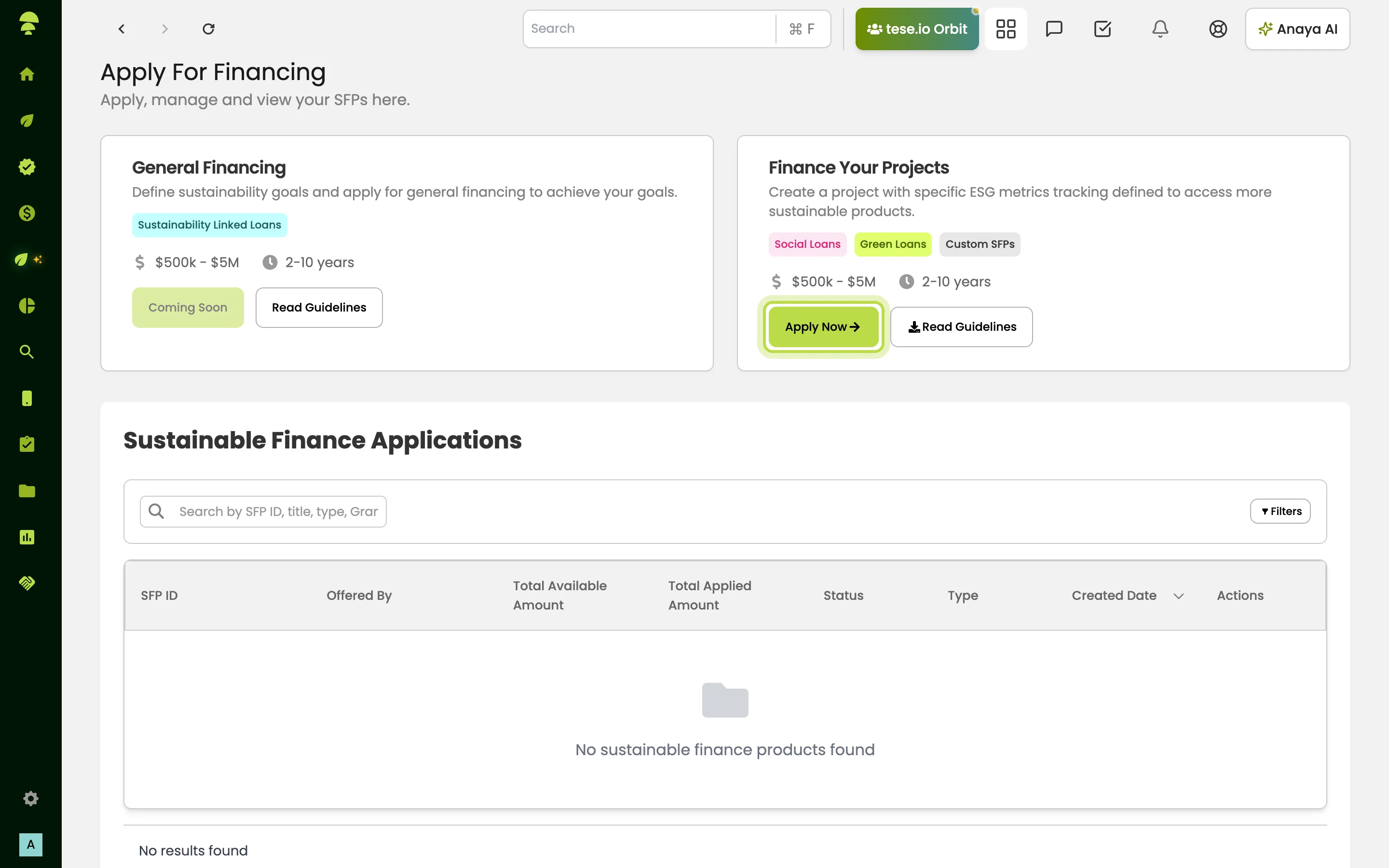
Go to Sustainable Finance → Receive Finance. The page is called Apply For Financing.
Choose a card:
Finance Your Projects covers green loans and custom SFPs for a project that tracks specific ESG metrics.
General Financing covers sustainability-linked loans for wider goals. It is marked Coming Soon and cannot be used yet.
Select Apply Now on Finance Your Projects. Read Guidelines on each card explains the product first.
Work through the application steps. These can include eligibility criteria, documents required, the application form, financing terms (amount, duration, interest rate, repayment frequency) and monitoring and reporting.
Use Save Draft to come back later, or submit when complete.
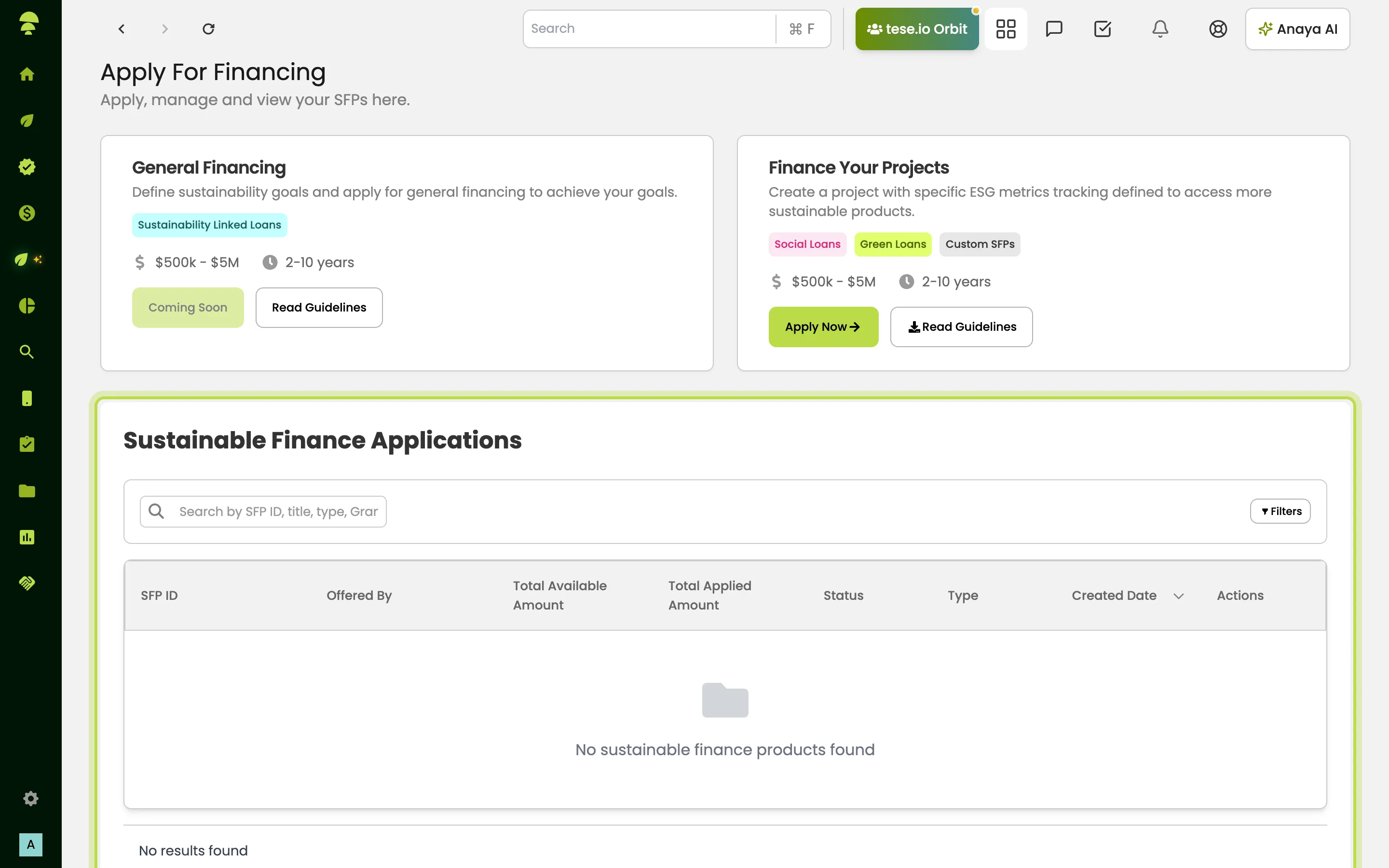
Track your applications in Sustainable Finance Applications. You can search by SFP ID, title or type, and filter by status, amount and date. Use Complete Application to continue a draft.
How to issue and manage finance products
Go to Sustainable Finance → Issue Finance.
Select Create New SFP to set up a finance product or grant.
Review incoming applications under New SFP Applications, Pending SFP Applications and Past SFP Applications.
Follow each application through its stages, for example Under Review, Under Verification, Approved, Waiting For Disbursement and repayment.
Use Overview to see your issuance overview and the mix of products by type and status.
The marketplace
The marketplace has no sidebar entry. For most organisations, going to the marketplace takes you to Auditing Hub → Find auditors, where you can find and book audit services. On the free plan home page, a Marketplace link may appear that takes you to the buyer storefront with your tese.io account.
Good to know
Application statuses include In Progress, In Review, Approved, Rejected and Repayment.
If an application form shows Form Configuration Missing, the product has not been fully set up by its issuer. Contact tese.io support.
Common questions
I can't see Sustainable Finance in the menu. Your organisation must be set up to receive or issue finance, and your role must include it. Ask your administrator or your tese.io contact.
Can I save an application and finish it later? Yes. Select Save Draft, then reopen it with Complete Application from Receive Finance.
Why do I see Receive Finance but not Issue Finance? Issue Finance is for financial institutions. Receive Finance is for organisations seeking finance.
Where is the marketplace? There is no marketplace menu item. Use Auditing Hub → Find auditors to browse audit services.
Was this article helpful?
Still need help?
The tese.io team reads every message and usually replies within one working day.
Contact support