
Frameworks and assessments
Set up the reporting frameworks your organisation collects ESG data against, including global standards, custom metric sets and materiality-based frameworks.
A framework is the set of metrics and questions your organisation reports against. You can start from a global ESG standard, build your own list from the metric library, let Anaya AI suggest one, or base it on a materiality assessment. Once a framework exists, you open it to enter and review data for a report.
Where to find it
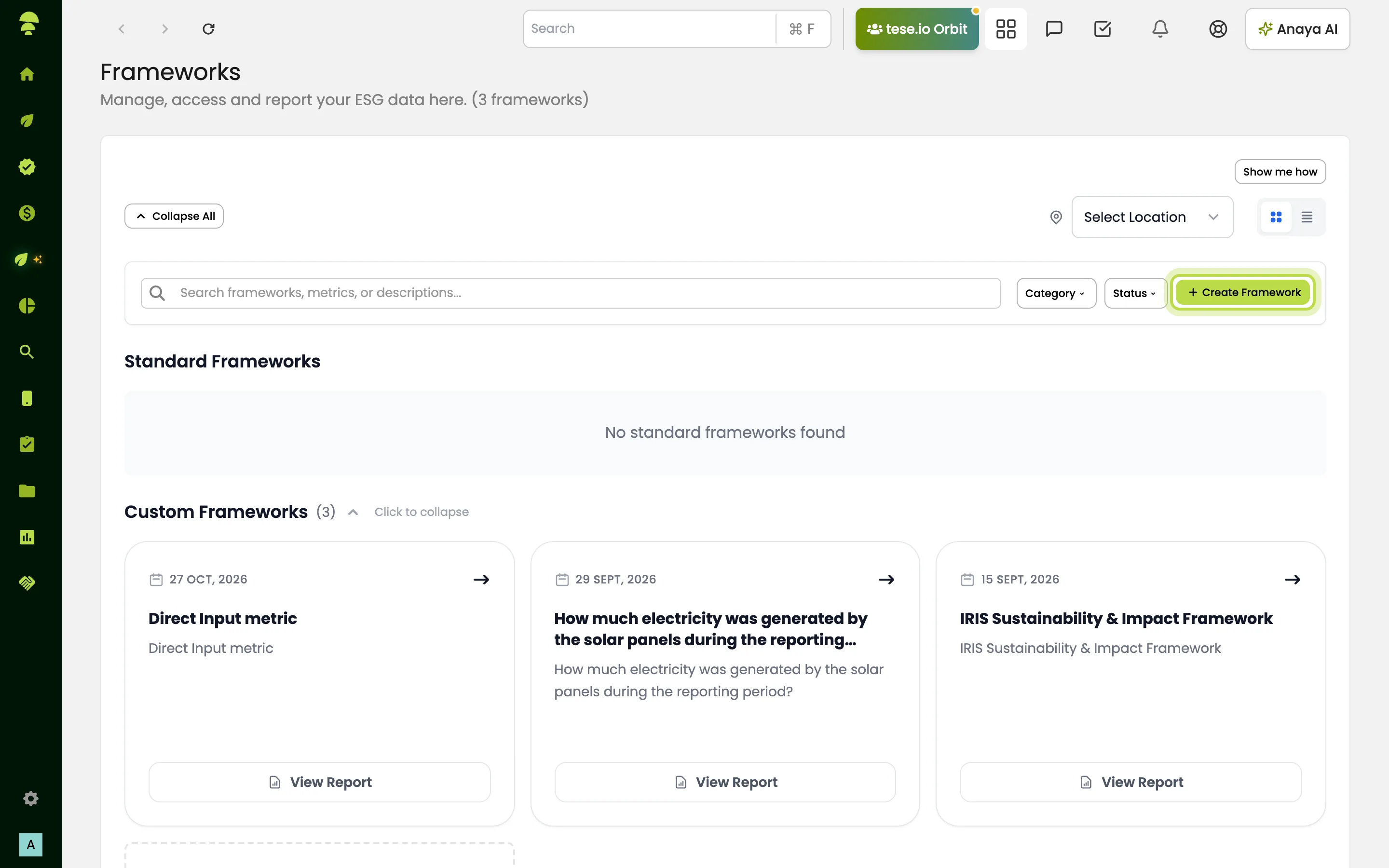
In the sidebar, go to ESG Manager → Frameworks. The page lists every framework in your organisation, with a count of frameworks under the page title.
How to create a framework
Go to ESG Manager → Frameworks and select Create Framework. If you have no frameworks yet, the button is in the middle of the page.
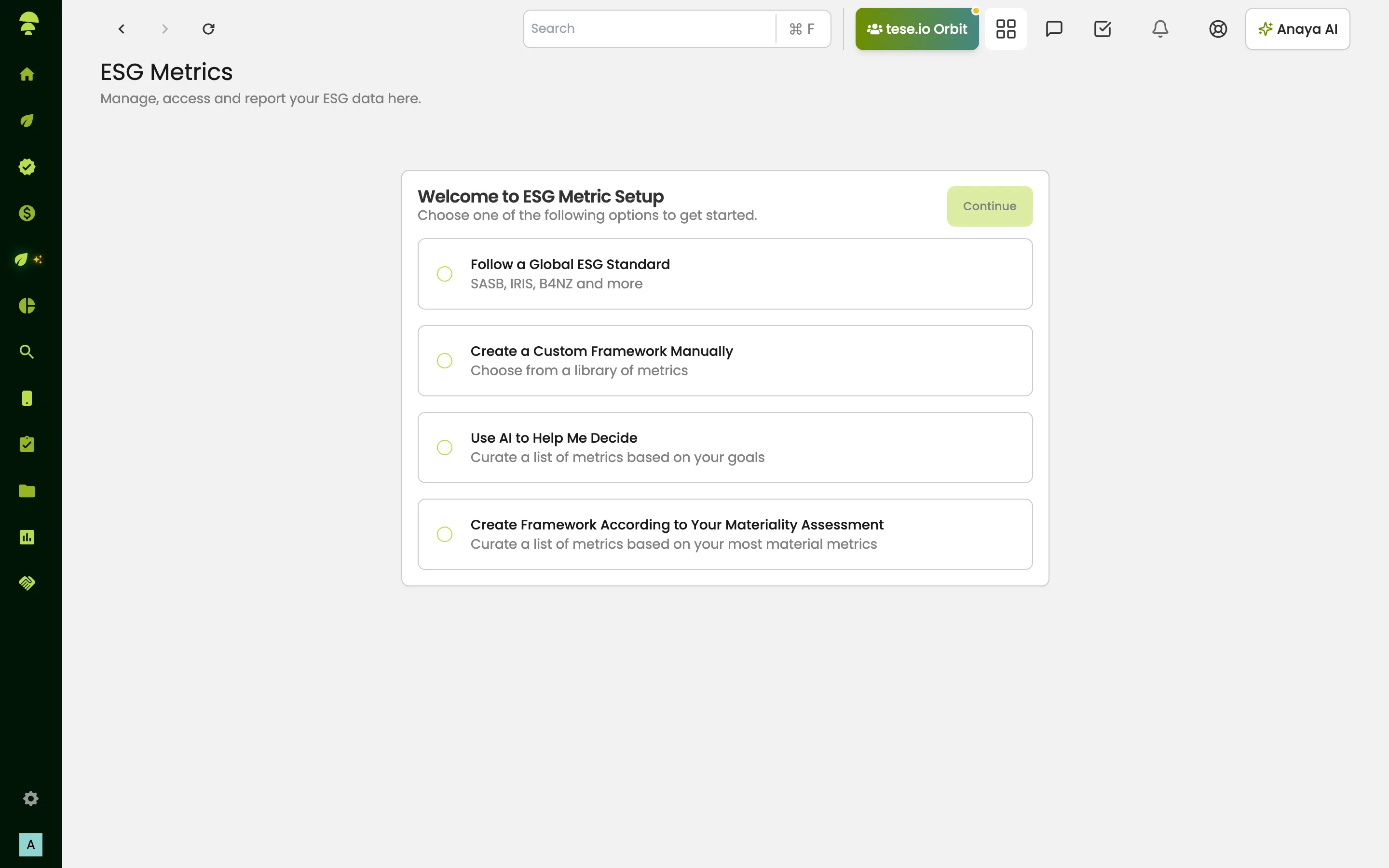
On Welcome to ESG Metric Setup, choose one of the four options:
Follow a Global ESG Standard – pick a standard such as SASB, IRIS+, B4NZ (Bankers for Net Zero), GRI or IFRS S1 & S2.
Create a Custom Framework Manually – choose metrics yourself from the metric library.
Use AI to Help Me Decide – describe your goals to Anaya AI and it puts together a list of metrics.
Create Framework According to Your Materiality Assessment – build the framework from the topics your materiality assessment rated as most material.
Follow the steps for the option you chose (see below).
Your new framework appears in the list under ESG Manager → Frameworks.
Following a global standard
Select the standard you want.
Under Select Your Industry, choose a sector and an industry. Your industry decides which metrics go into the report.
Under Select Location, choose Company Wide or Individual Locations.
Select Continue. You will see the standard metrics for your industry and locations. To change the industry or locations, select Change.
Select Create Standard Framework.
Building a custom framework
Give the framework a Framework Name and a description. The description appears on the framework card in the list.
Choose the locations it covers.
Pick metrics from the Metric Bank. You can filter by impact category, reporting frequency, industry sector and metric type.
Select Continue to create the framework. If you are editing an existing framework, the button reads Update Framework.
Using AI to help you decide
The AI framework studio opens a conversation with Anaya AI. Your answers build up in the Live brief panel. When Anaya AI has enough to go on, it shows a Recommended framework. You can select Refine with Anaya to change the scope, depth or focus areas before you accept it.
Basing it on a materiality assessment
This option takes you through four steps: Define Scope, Business Model, Identify Topics and Assess Materials. You can select Save Draft at any point, or Save & Continue to move on. Saved assessments are listed on the Materiality Assessment page, which shows your total assessments and their material, immaterial and uncertain metrics.
How to work with existing frameworks
Open a framework: select its card. This opens the report editor for that framework, where you enter and review data.
Edit or delete: open the Options menu on a card and choose Edit or Delete.
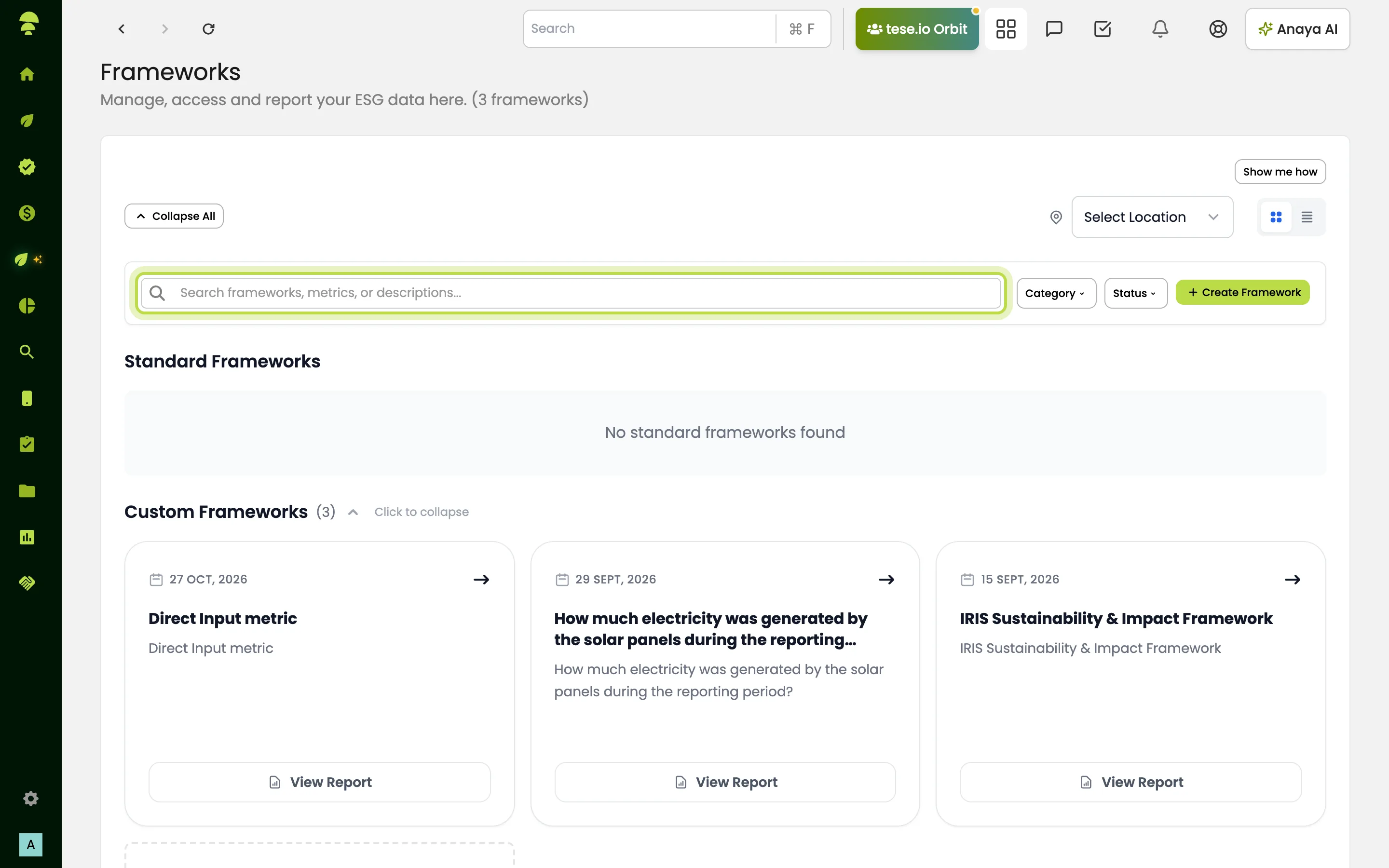
Filter the list: filter by Category (Standard, Custom, Project, Sustainable Finance) and Status (Published, Draft, Archived), or search by name. To change the location, use the location picker above the list. If nothing matches, select Clear Filters.
Change the layout: switch between Grid View and Table View.
Good to know
You need at least one location set up in Settings before you can create a custom framework.
The list follows the location you have selected at the top of the dashboard. If a framework seems to be missing, check which location is selected.
Frameworks created for projects are listed under Project. Frameworks linked to sustainable finance applications are listed under Sustainable Finance.
Select Show me how for a guided walkthrough of creating a framework.
Which frameworks you can see and edit depends on your role. Ask your administrator if a framework or the Frameworks menu item is missing.
Common questions
Which global standards can I choose from? The standard picker lists the standards available to your organisation. These include SASB, IRIS+, B4NZ, GRI and IFRS S1 & S2. If you need a standard that is not listed, use Create a Custom Framework Manually or ask your tese.io contact.
Why can't I create a custom framework? If you see "Please configure at least one location in Settings before creating a custom framework", add a location in Settings first.
How do I enter data for a framework? Select the framework's card on the Frameworks page. This opens the report editor for that framework, where you can fill in and review answers.
Can I change a framework after creating it? Yes. Open the Options menu on its card and choose Edit.
What is a materiality assessment for? It helps you decide which topics matter most to your business and its stakeholders. You can then build a framework that focuses on the most material metrics.
Where did my framework go? Check the Status and Location filters and the location selected at the top of the dashboard. Archived frameworks are not shown in the main list.
Was this article helpful?
Still need help?
The tese.io team reads every message and usually replies within one working day.
Contact support