
Certifications and readiness
Prepare for third-party sustainability certifications such as Green Key, GSTC, Travelife, EarthCheck and B Corp with self-assessments, gap analysis and evidence packages.
The Certifications area helps you get ready for third-party sustainability certifications. You can work through a self-assessment, see your preparation gaps and download an evidence package for the certification body. tese.io does not certify your organisation. The award always comes from the accredited body or national operator.
Where to find it
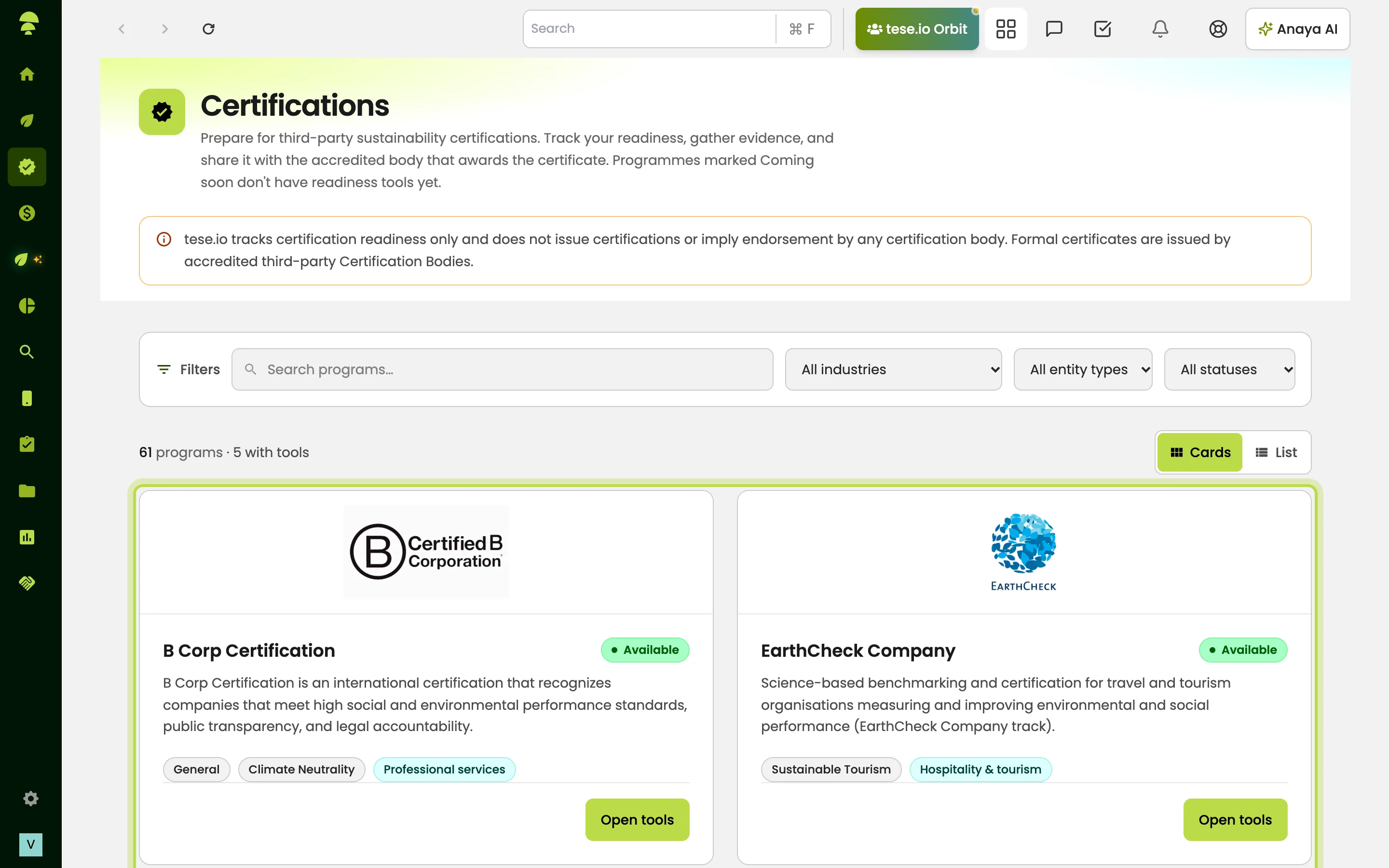
In the sidebar, select Certifications. The hub lists the programmes available to your organisation. Select a programme card to open its tools.
Which programmes are included
The catalogue covers more than 60 programmes across industries, such as the GSTC Hotel Standard, Travelife for accommodation, Green Key, EarthCheck and B Corp. To find one, use Search programs… or filter by industry, entity type and status.
Programmes that have readiness tools are marked Available. The others are marked Coming soon and cannot be opened yet. Green Key, and the certification area as a whole, may not be enabled for your organisation. Ask your tese.io contact.
How to prepare for a certification
Go to Certifications and select the programme card, for example Green Key.
The programme page explains the path to certification and who does what: the scheme owner, tese.io and your organisation. It then shows three tools.
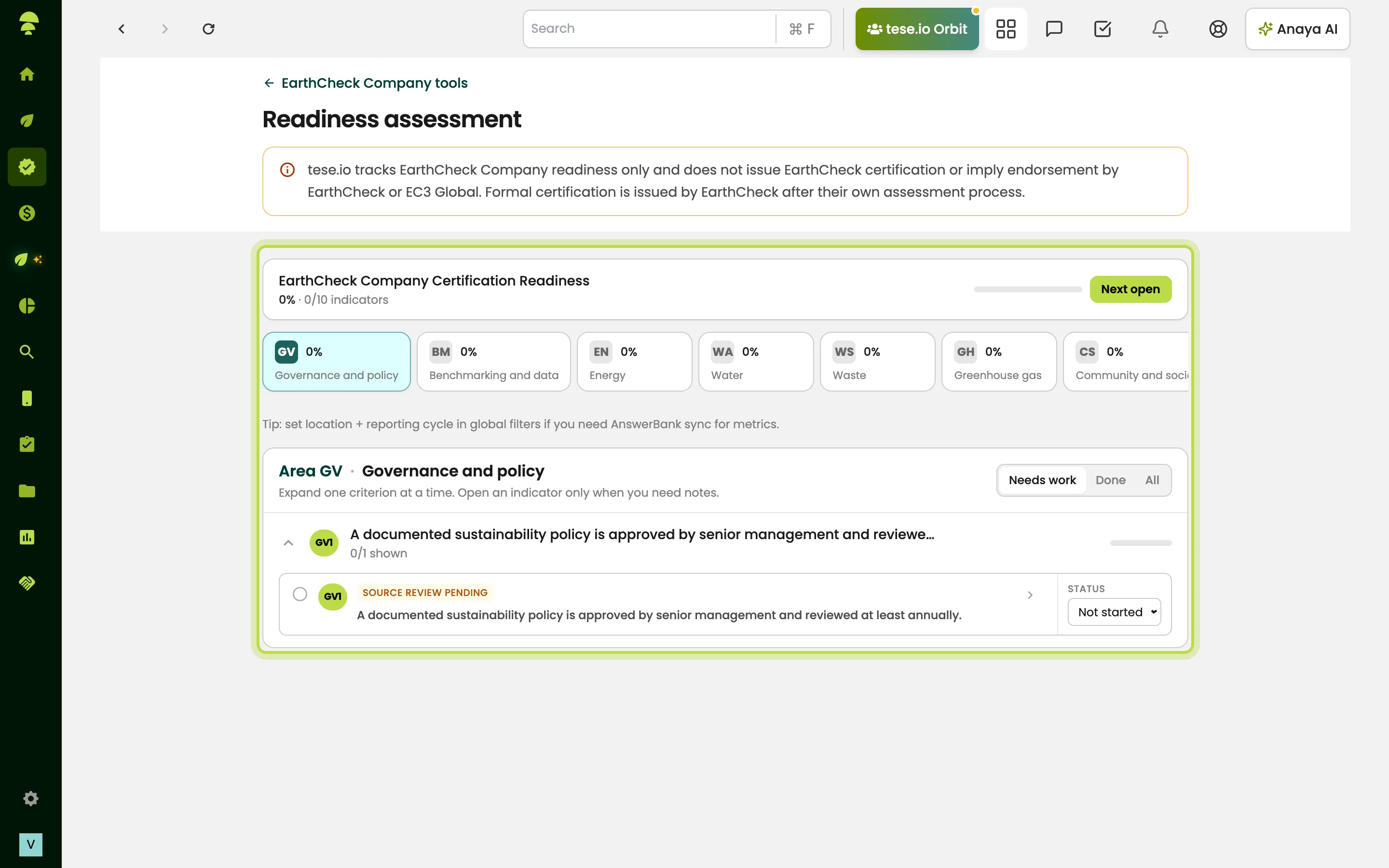
Open Self-assessment and work through the criteria areas or pillars. For each indicator:
choose a status: Not started, Partial, Complete or N/A
add text under Qualitative response / evidence notes explaining how you meet the indicator or where the evidence is kept
if your organisation has Anaya AI, select Fill with Anaya AI to draft the notes, then check and edit the draft
Where a programme applies different criteria to different kinds of site, use Filter by establishment type so you only see the criteria that apply to you.
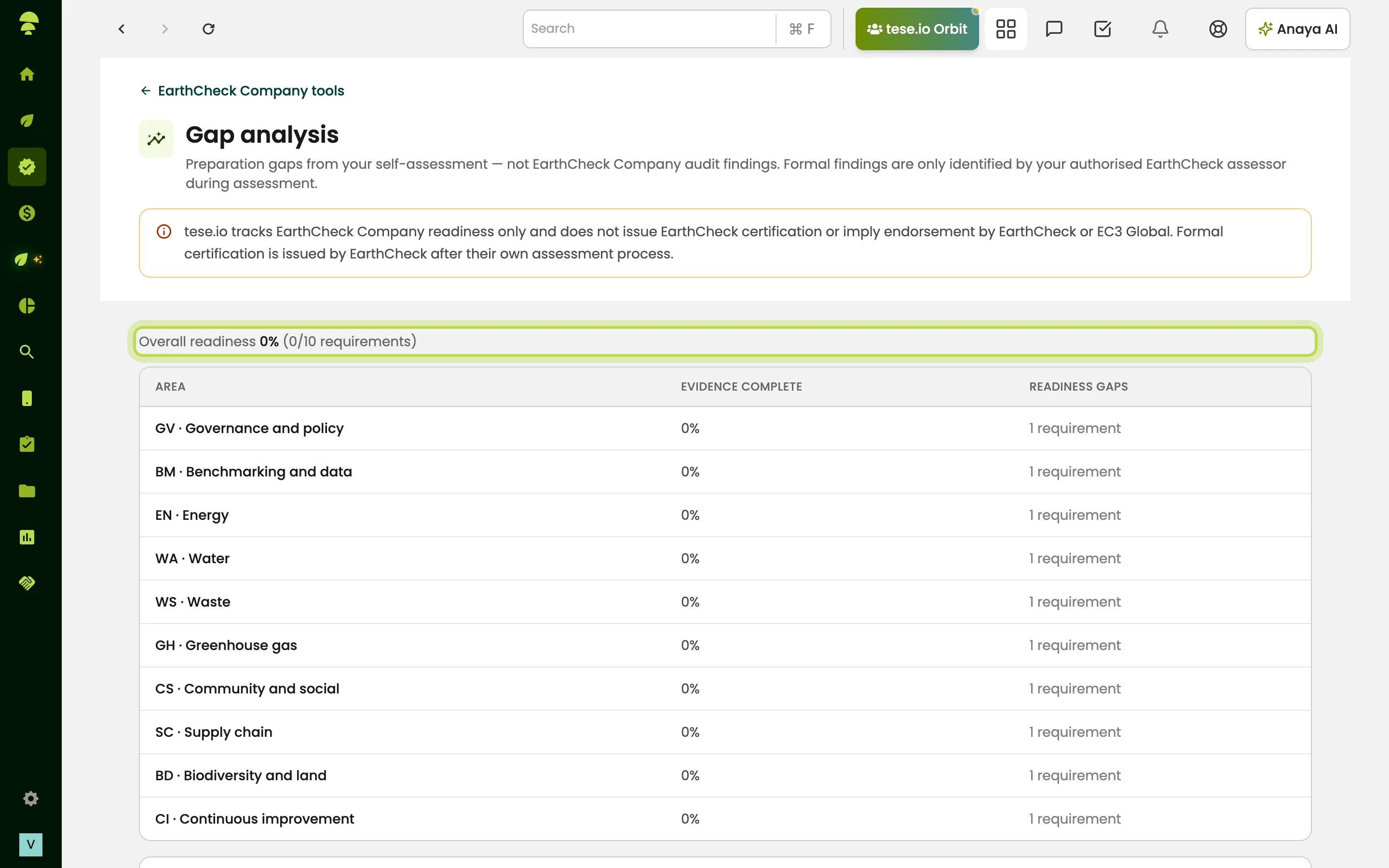
Open Gap analysis to see how complete each area is and what still needs work.
Open the third tool, for example Prepare for Green Key assessment, and select Download evidence package (JSON). This file contains your answers and an evidence index to share with the operator or assessor.
Apply to the certification body directly, following their own application and audit process.
Programme notes
Green Key is run nationally under FEE. You apply through your authorised national Green Key organisation. The self-assessment covers management, staff involvement, guest information, water, energy, waste and environmental management.
GSTC Hotel Standard covers pillars A–D: management, community, culture and environment. You then choose a GSTC-accredited certification body. Comparing at least two is recommended.
Travelife covers sections A–I. You then join Travelife and schedule an independent on-site inspection audit.
EarthCheck Company and EarthCheck Destination cover governance, benchmarking, energy, water, waste, greenhouse gases, community, supply chain, biodiversity and continuous improvement. You then contact EarthCheck / EC3 Global.
Good to know
Gap analysis shows preparation gaps only. These are not audit findings or non-conformities from the certification body.
If you mark an indicator N/A, add a justification in the notes. Assessors usually expect one.
Your answers save as you go. A "saving…" note appears while an answer is being saved.
Some indicators say "Prefer Activities for this metric." This means the figure is better recorded as activity data under ESG Manager → Activities Data, so it stays consistent with the rest of your reporting.
Your organisation may only have certain programmes switched on. If so, the hub only shows those. If none are switched on, you will see "No certifications have been enabled for your organisation yet."
Common questions
Does tese.io issue the certificate? No. tese.io helps you prepare and package evidence. The certification body or national operator assesses you and makes the award.
Why is a programme marked "Coming soon"? Its readiness tools are not available yet. You can see it in the catalogue but cannot open it.
I can't see a programme a colleague mentioned. Why? Your organisation may have access to selected programmes only, or the programme may not be enabled yet. Ask your tese.io contact or administrator.
What do I send to the certification body? Download the evidence package from the programme's preparation tool. Send it with the forms the body asks for.
Can Anaya AI answer the self-assessment for me? Fill with Anaya AI drafts evidence notes for an indicator. Always check the draft against your real evidence before you rely on it.
I see "Could not load certifications". What should I do? The catalogue is temporarily unavailable. Refresh the page later. If the message stays, contact support.
Was this article helpful?
Still need help?
The tese.io team reads every message and usually replies within one working day.
Contact support