
Locations, areas and financial years
How to add and edit your facilities and sites, draw land areas, and set up financial years for reporting.
Locations are your facilities, sites and offices. Every activity entry is recorded against a location and a reporting period, so you need at least one location and one financial year before you can enter data.
Where to find it
Settings (bottom of the sidebar), then in the General section:
Location — your facilities and sites.
Area — land boundaries drawn on a map.
Financial Year — reporting years and their periods.
These pages may not be shown if your role doesn't include them.
How to add a location
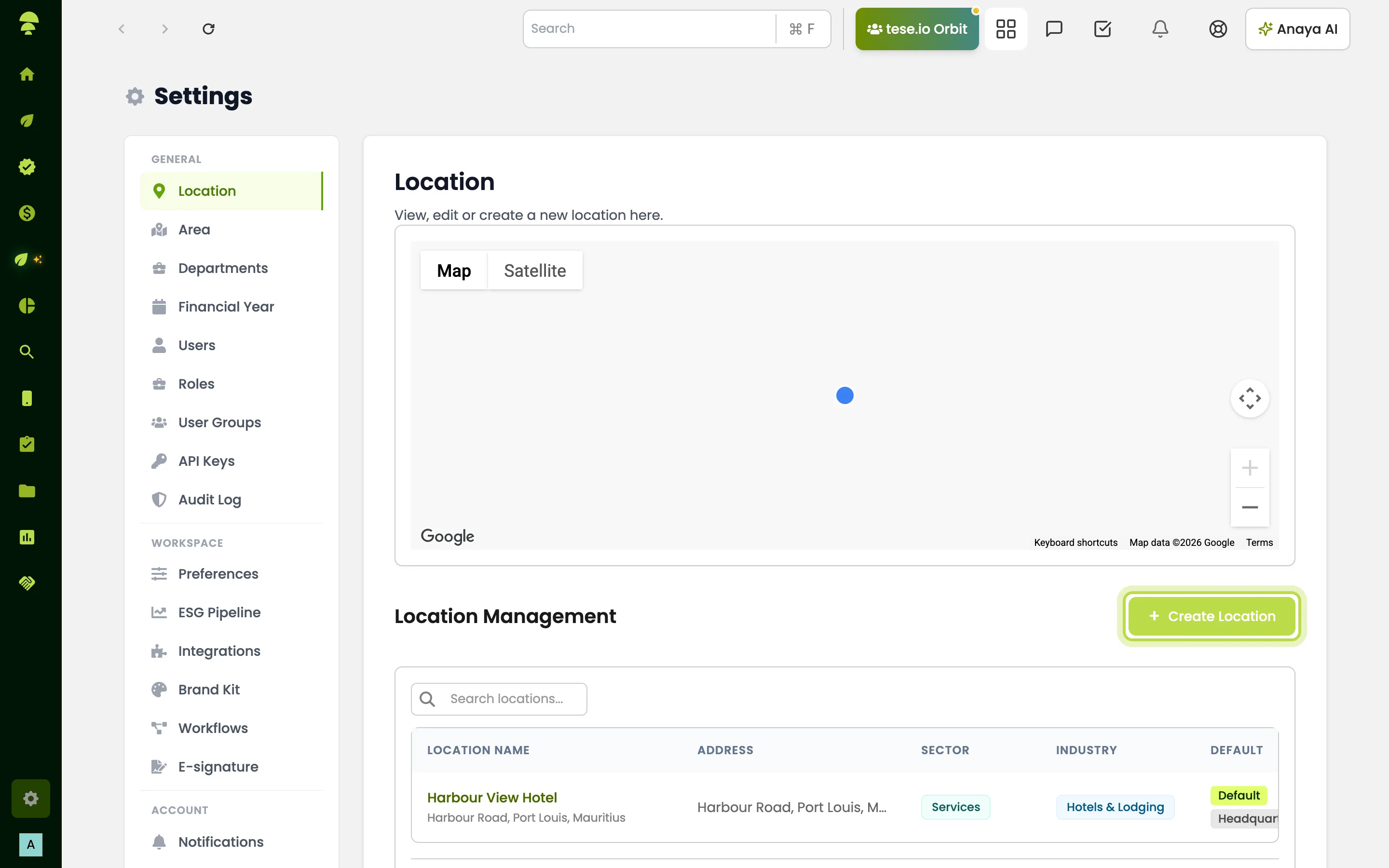
Go to Settings → Location.
Select Create Location.
Fill in Location Name, Address, City, Country, Province/State and Post/Zip Code. You can add Apartment, suite, etc. (optional), Phone, Description, Sector and Industry.
Check the pin on Location Map.
Select Create Location to save.
How to edit or delete a location
Go to Settings → Location and find the location. You can use Search locations....
Select View / Edit to change it, then Update Location.
To remove it, select Delete and confirm.
How to draw an area
Areas are property boundaries, used for climate and nature analysis.
Go to Settings → Area.
Choose a location under Linked location, or use Search map to find the place.
Click the map to add at least three points, then confirm the shape.
Give the area a Name. You can add a Crop yield estimate (optional).
Select Save Areas.
Saved areas appear on your Climate & Nature dashboard. Import from company profile fills in your headquarters if it has a boundary already.
How to set up a financial year
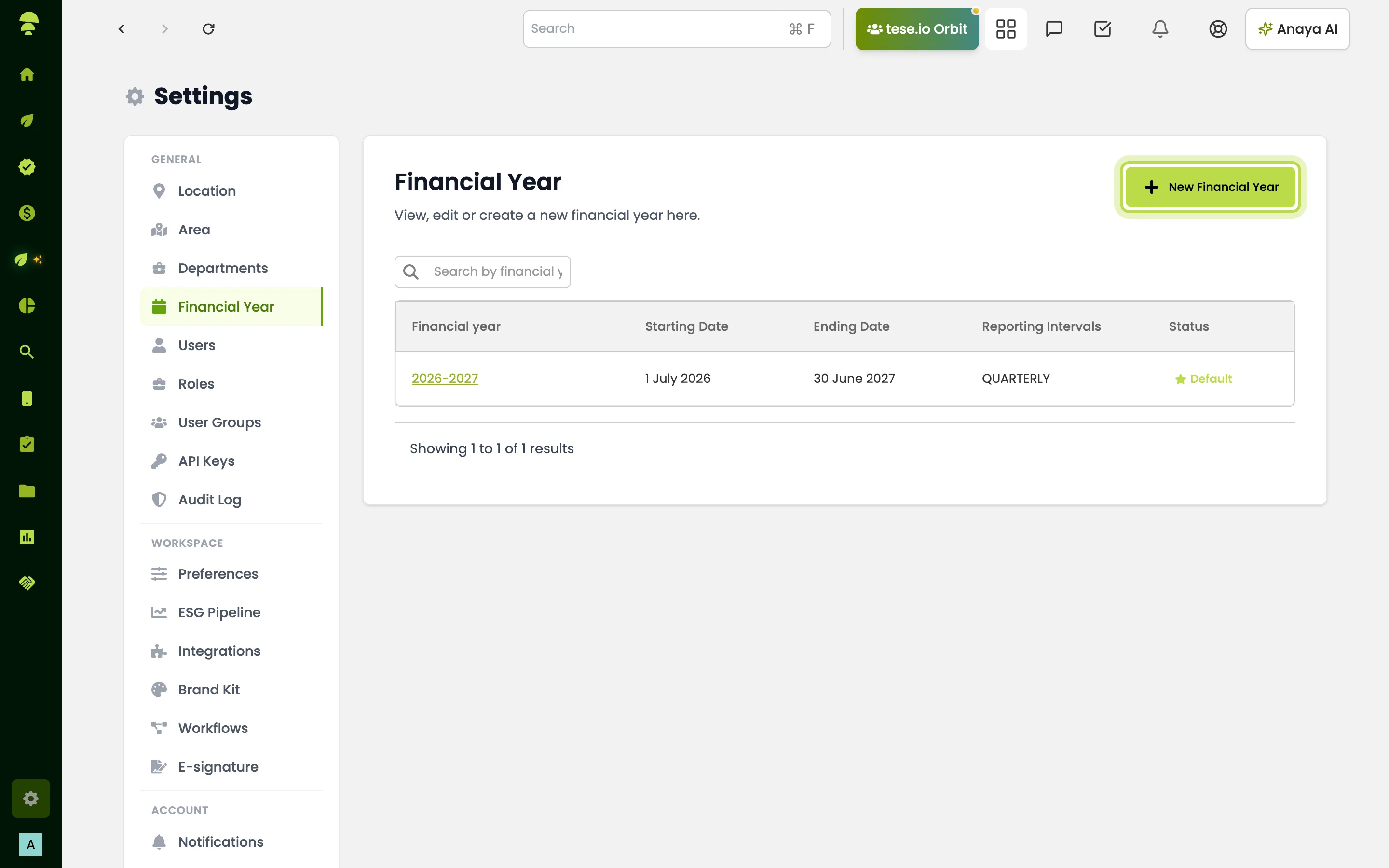
Go to Settings → Financial Year.
Select New Financial Year. The Create Financial Year window opens.
Set the start and end dates. They must be at least 365 days apart.
Choose the Reporting cycle: Monthly (Recommended), Quarterly, Yearly or Custom.
Select Create. Its reporting periods then appear when you enter activity data.
You can Edit a financial year later, or Lock a past one to stop changes to its dates and interval. The current financial year can't be locked.
Good to know
You can't delete the default or headquarters location. The Delete button says Cannot delete default or headquarter location.
Users can be limited to certain facilities. An admin sets this under Settings → Users → Manage access → Facility access. If you can't see a location when entering data, this is usually why.
If the map doesn't load and you see Google Maps API Key Missing, contact your tese.io contact.
Departments (for example Housekeeping or Engineering) are set up separately under Settings → Departments.
Common questions
Why can't I delete our head office location? The default and headquarters locations are protected. You can edit them but not delete them.
When I add an entry it says "No locations available to you." Why? Your account has no facilities assigned. Ask your organisation admin to add facilities under Manage access → Facility access for your user.
Why don't I see Settings → Location? Location settings are only shown to roles with access to the ESG dashboard and location settings. Ask your organisation admin.
The reporting period I need isn't in the list. What do I do? The financial year that covers that date hasn't been created yet. Ask whoever manages Settings → Financial Year to add it.
What's the difference between a location and an area? A location is a site with an address that you record data against. An area is a boundary drawn on a map, linked to a location, used for land, climate and nature analysis.
Was this article helpful?
Still need help?
The tese.io team reads every message and usually replies within one working day.
Contact support